Get set up in 10 minutes (start here)
The whole path from signing up to taking your first booking.
Roughly ten minutes of real work. Here is the honest path.
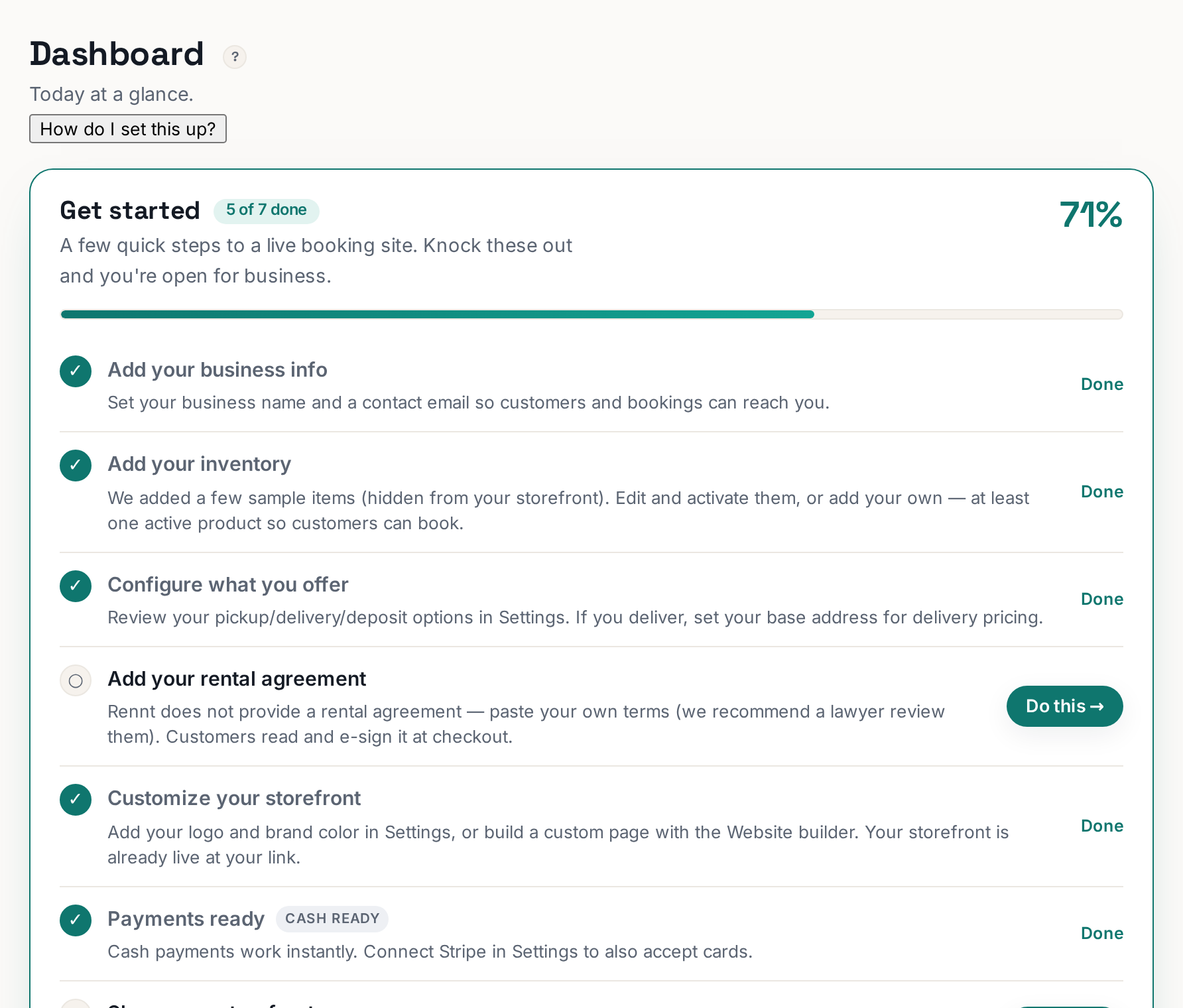 Tap to enlarge
1. Build the site (2–3 min)#
Website in the left menu → describe your business in plain English → the AI writes and builds the whole page around your catalog. Change anything you do not like, then Publish.
2. Get one real product up (3–4 min)#
Inventory → Browse product library → tick what you rent → Add selected. Set your price and Qty, click Upload photo, then flip the green Active toggle on and hit Save.
3. Business info (1 min)#
Settings → Business info: your business name and the email that should receive booking notifications. Get this right or you will miss orders.
4. Your rental agreement (1 min to paste)#
Rental agreement → paste your terms → Save. Customers read and e-sign it at checkout, and the signature is stored with every booking.
5. Test it yourself (2 min)#
Click View storefront, then book your own gear like a customer would. It should land in Bookings within seconds and email you. Then delete the test booking.
6. Share the link#
That storefront URL is your booking link. Instagram bio, Facebook button, Google Business Profile, your text replies, the side of your truck.
What is NOT on this list#
Stripe, custom domain, SEO, dispatch, analytics. All real, all optional, none of them needed for booking number one. You can take cash from day one.