Switching between Simple and Advanced
The toggle at the top of the left menu — exactly what Simple hides, and why nothing is lost.
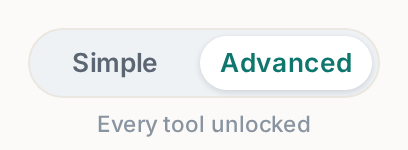
The switch sits at the very top of the left menu: Simple | Advanced. Click the one you want — it changes instantly, per person, and hides or shows menu items. Nothing is ever deleted or turned off; hidden modules keep working in the background.
 Tap to enlarge
What Simple hides#
Simple keeps the daily essentials — Dashboard, Bookings, Inventory, Website, Settings — and hides the power tools: Delivery, Reports, Analytics, SEO and the Rental agreement editor, plus the Pro modules (Customers, Team, Dispatch, Check-in / out, Quotes, Reviews, Chat agent, Custom domain). Inside Inventory, Simple also tucks categories, warehouses and CSV import behind a Show more options button, so the page is just products.
Nothing is lost when you switch#
Data entered in an Advanced-only screen (delivery zones, categories, blackout dates) keeps applying while you are in Simple — you just do not see the controls. Switch back any time to change them.
Who should use which#
Start Simple if this is your first booking software; you can run the whole business from five tabs. Move to Advanced when you find yourself asking "where do I set…" — the answer usually lives there. The simple-vs-advanced-mode article covers choosing in more detail; this one is the mechanics.