Do you provide a rental agreement? How do signatures work?
You supply the terms — we handle the signing and storage.
Rennt does not provide a rental agreement, and that is a deliberate decision rather than a missing feature.
Your terms are a legal document specific to your business, your state and your equipment. A generic template we wrote could leave you unprotected in exactly the situation you needed it. We recommend a lawyer reviews yours.
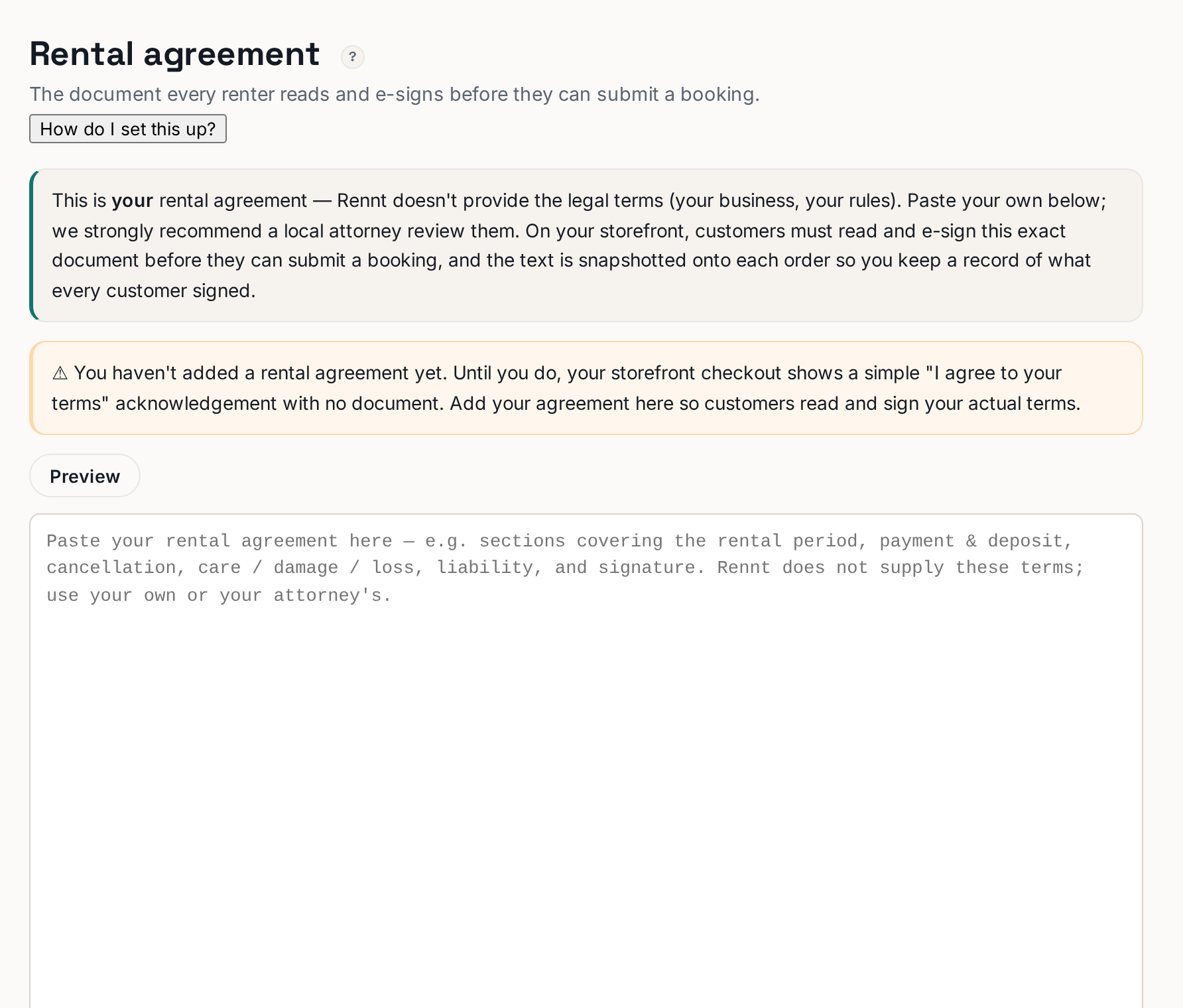 Tap to enlarge
Setting it up#
- Open Rental agreement in the left menu.
- Paste your terms into the editor.
- Save.
That is it. From then on, every customer reads and signs it as part of checkout — they cannot submit a booking without it.
What most agreements cover#
The rental period · payment and deposit · cancellation and weather policy · care, damage and loss · liability · signature. Yours may need more or less — that is between you and your attorney.
How the signature works#
At checkout the customer types their legal name and can draw a signature. Rennt stores the typed name, the drawn signature image, and a timestamp, attached to that booking forever. Open any booking and click Print agreement to get the signed document.
If you have not added one yet#
Checkout falls back to a plain terms checkbox, so you can still take bookings while you sort your paperwork out. It is not a substitute for real terms.