Business info, field by field
What each Business info field does and where it shows up on your storefront and emails.
Plan: All plansWho: Owners and admins
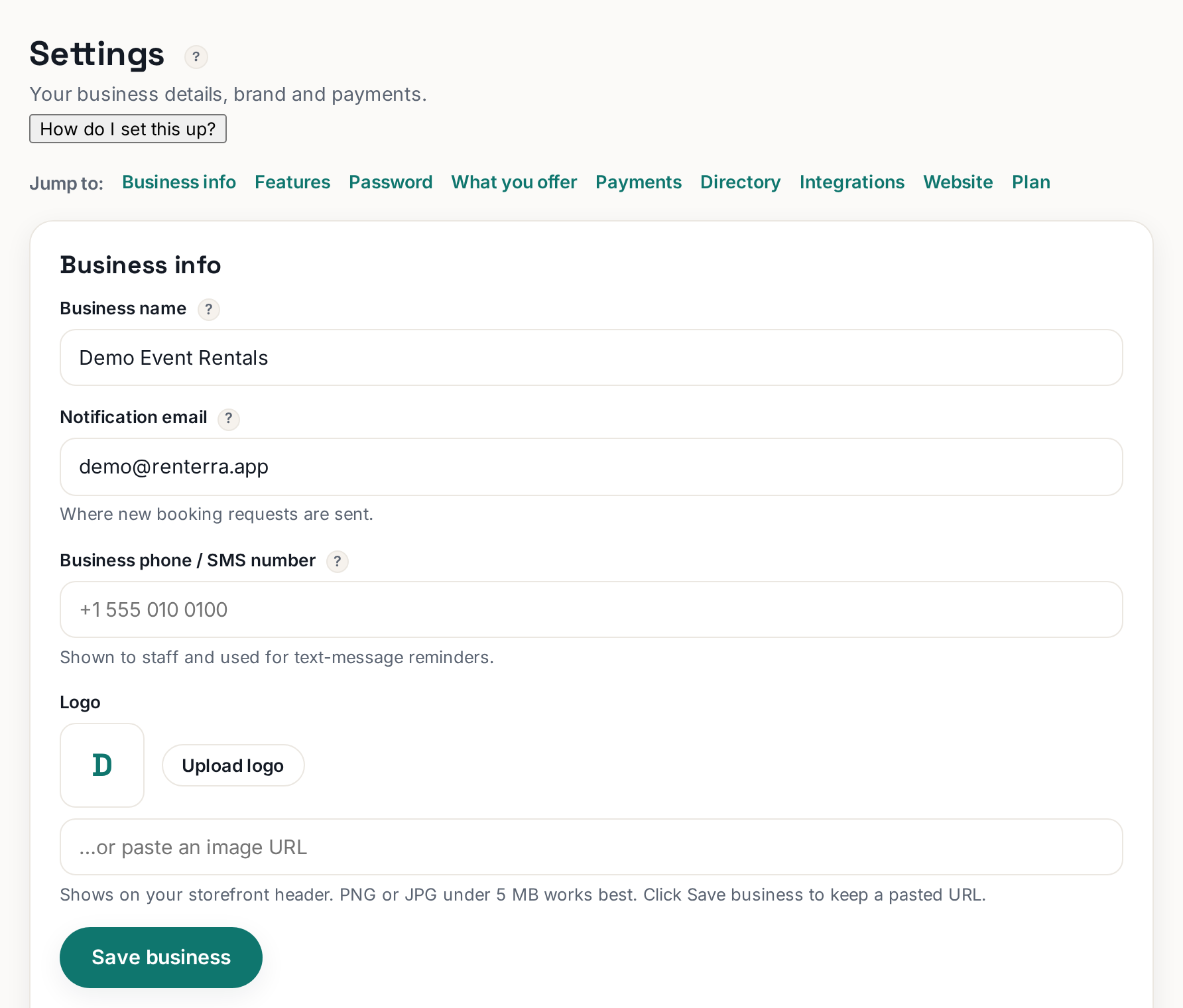
Business info is where your company's basic facts live — and those facts flow everywhere: your storefront, your emails, your rental agreement, and delivery quotes.
Settings›Business info
 Tap to enlarge
The fields and where they show up#
- Business name — your customer-facing name. It appears on your storefront, in booking emails, and on the printed agreement. Use the name customers know, not your LLC's legal mouthful.
- Phone — shown to customers so they can reach you about their booking.
- Notification email — where YOUR copies of new bookings and requests are sent. Check it daily; this is how you hear about new business.
- Address — your base of operations. Delivery pricing that works by distance measures from here, so get it right.
Saving#
Click Save business when you are done. Changes show on the storefront right away — give the page a hard refresh if your browser shows an old copy.
★
Fill in every field even if it feels optional. A storefront with a real phone number and address converts nervous first-time customers better than a bare one.
More in Account, team & plan
Changing your notification emailUpdate the notification email in Business info — it changes where booking alerts go, not your login.Updating your password (and the rules)Use Update password in Settings. Passwords need 8+ characters with upper, lower, number, and special.Turning modules on and off (Features)Hide the parts of Rennt you do not use. Hidden is not deleted — data is kept.See your bookings in Google or Apple CalendarEnable the calendar feed, copy the URL, and subscribe from your calendar app. Read-only.Webhooks with Zapier and Make, in plain EnglishGive Rennt a webhook URL and it notifies your other software the moment a booking happens.