Prices, per-day pricing and showing Quote instead
Prices are per unit, per day. What a blank price does, and how to handle weekend rates.
Your price is what you charge per unit, per day — one bounce house, one day, one price. That is the number renters see on your storefront and what the booking math uses.
Setting prices#
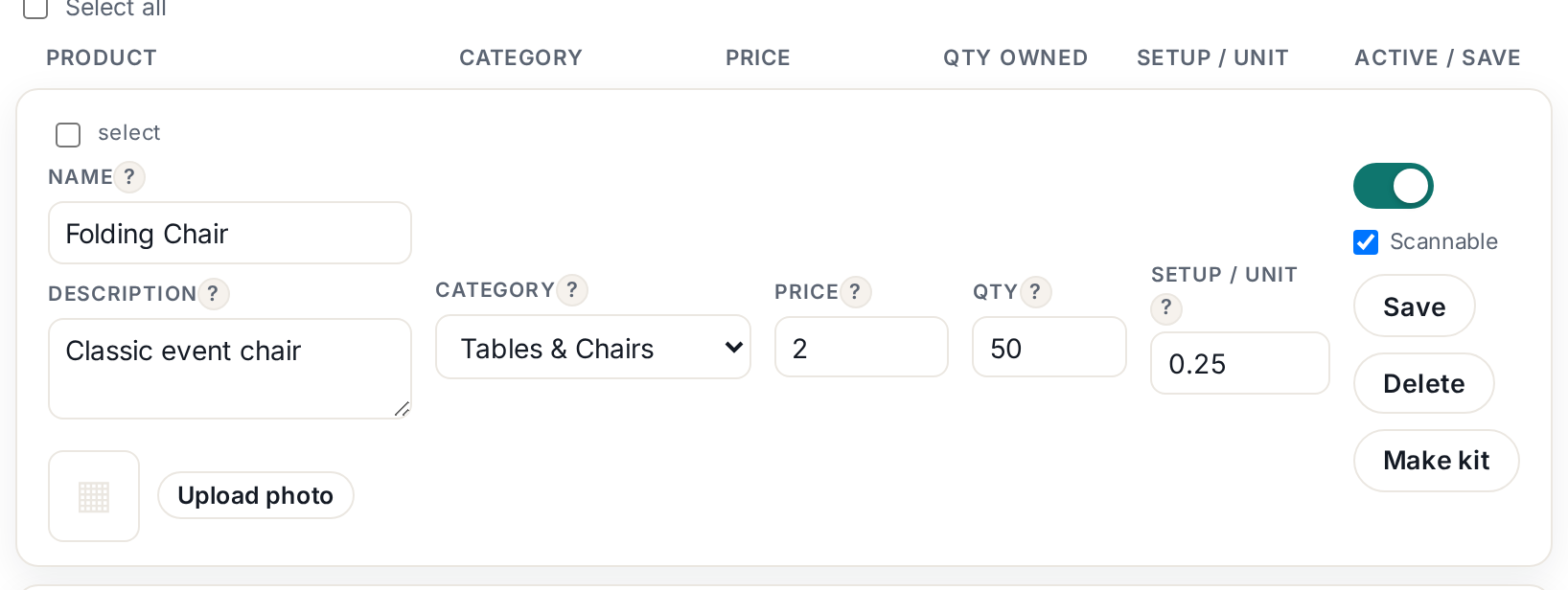
Each row in Inventory has a Price field; type the number and it saves with the row (or use Save all after editing several). Prices are per single unit — if someone books 10 chairs, the total is 10 × the chair price.
 Tap to enlarge
No price? Show "Quote"#
Leave the price blank and the storefront shows "Quote" instead of a number. Renters can still request the item; you reply with a price. Use this for genuinely variable jobs — large tents where site conditions change the work — but use it sparingly: visible prices convert far better than "call us".
Charging by something other than the day#
The catalog is day-based by design, because that is how party rentals book. If your rate is really per weekend or per event, the common pattern is to make the daily price your event price and say so in the description ("price covers your whole event weekend"). The CSV importer also reads an optional price_unit column for the label shown with the price.
Related charges#
Delivery fees are calculated separately from your Delivery settings, and per-unit setup fees have their own field — see the setup fee article. Keep the rental price about the item itself.