The AI website builder, step by step
From two sentences about your business to a published site — usually under ten minutes.
Plan: All plansWho: Everyone
The builder turns a couple of sentences about your business into a full storefront website — headline, about section, your products, contact — which you then tweak and publish. Start to live is typically under ten minutes.
Step by step#
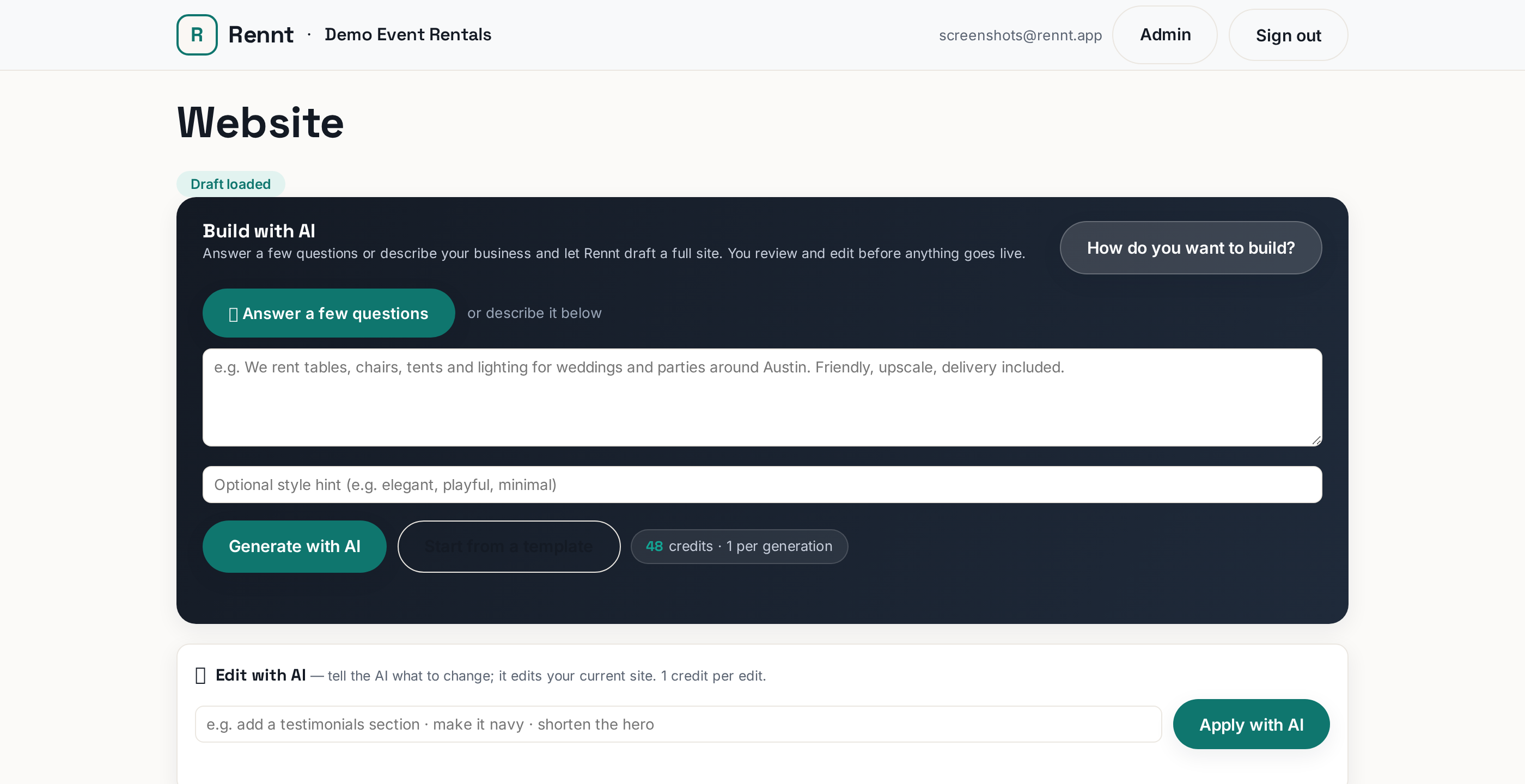
- Open the Website tab.
- Click Draft with AI and describe your business the way you would to a neighbor: what you rent, your town, what makes you good. Specifics ("family-run, 200+ events, free setup within 20 miles") give it real material.
- Wait a moment while it drafts. Each run uses 1 AI credit; if a run fails you are never charged, and you can run Draft with AI again.
- Read the draft and fix what is off — every section is editable by hand (see the editing article). The AI gives you a strong first pass, not gospel.
- Click Preview to see it as a visitor would — check it on your phone too.
- Click Publish. That is the go-live moment: your site is now real at rennt.app/s/your-slug.
 Tap to enlarge
After publishing#
Nothing is locked. Edit any time; changes stay private drafts until you press Publish again. If the draft came out wrong — odd tone, wrong niche — it is usually faster to re-run Draft with AI with a more specific description than to rewrite everything by hand.
i
Out of credits? Top up in the AI Credits tab — and remember, failed runs never cost anything.
More in Your website
Editing website sections by handEverything the AI drafts, you can change. What to edit first and why drafts are safe.Your logo and storefront colorsTwo colors and a logo drive your whole storefront look. Both live in Settings.The SEO tab: your city, your keywordsTell Google what you rent and where. Three fields do most of the work.Connecting Google Search ConsoleTell Google your site exists and see which searches show it. One button plus a sitemap.Connecting Google Analytics (GA4)See how many people visit your storefront and where they came from. One pasted ID.